How to Tell If a Website Is Fake Before Entering Your Card Details
Fake websites often pop up during major sales, ticket drops, or high-demand product shortages. Seeing a familiar logo can make you hurry through checkout, especially when a timer claims the deal expires in ten minutes. Once you pay, the fake store vanishes, and scammers may use your stolen card details for further unauthorized charges.
This is a classic fake website scam. Criminals impersonate trusted brands, counting on shoppers to act quickly without double-checking the URL or details. Here is how to spot fake websites, verify seller credibility and payment processes, and protect yourself if you have already shared card details or passwords on a suspicious site.
Always check the website address, content, company information, and payment process before entering any sensitive information.
Important: If a website raises even the slightest suspicion, we strongly recommend that you do not provide personal information, passwords, or payment details. First, make sure the website actually belongs to the company you trust.
When Are You Most Likely to Encounter a Scam Website?
Phishing is an online scam where criminals impersonate a bank, online store, government agency, or another trusted organization. They send emails, ads, or messages with a link, urging you to immediately confirm a login, claim a payment, pay a shipping fee, or restore account access. Clicking the link takes you to a fake website designed to mirror the real one, sending any information you enter straight to the attacker.
The danger spikes when a message pressures you to act fast. You might be told your bank card is blocked, a package is held up, or only one item remains in stock. These messages can arrive via email, messaging apps, social media, or online ads. Instead of clicking the link, open the company’s official app or type the real web address directly into your browser.
In our experience, visits to dangerous websites almost always start with a convincing reason to act right away. When checking if a site is legitimate, ask yourself not only if the page looks real, but also why you are being pushed to hurry.
What Types of Fake Websites Are There?
The most common fake website is a copy of a well-known brand. Scammers duplicate logos, product catalogs, and text, register a similar domain name, and insert their own payment or login form. Their goal is to steal card details, passwords, phone numbers, and personal data. So, this is what most people call a phishing website.
Another common trick is a completely fake online store or service. It advertises unrealistically low prices, collects your payment, and then cuts off all communication.
A third type delivers malicious content. The site prompts you to install a fake update, open a file, or download an app, which infects your device with malware.
Malicious content can even hide on legitimate websites that have been hacked. A familiar domain name alone does not guarantee a page is safe, as dangerous elements can be embedded in specific pages, ads, or third-party tools. Google flags both phishing pages and sites hosting malicious software as unsafe.
How to Tell If a Website Is Legitimate or Fake
Unfortunately, there is no single test that can guarantee a website is legitimate. Scammers can hide domain details, fake their reviews, and even secure scam websites with HTTPS. The safest approach is to look at several red flags together.
| What to Check | Signs of a Legitimate Website | Warning Signs of a Fake Website |
| Website address | Exact official brand domain | Extra words, misspellings, unusual domain extension |
| Connection | HTTPS with no browser warnings | HTTP, certificate errors, unexpected redirects |
| Company | Legal details and contact information are available | No legal company name or contact information |
| Payment | Clear payment recipient and secure checkout | Transfer to an individual or payment details requested via chat |
| Content | Working pages and consistent branding | Placeholder pages, errors, unrelated contact details |
| Reputation | Independent reviews published over a long period | Similar positive reviews posted within a few days |
Check the SSL Certificate, but Don’t Trust the Padlock Alone
HTTPS encrypts data sent between your browser and the server, protecting information from interception along the way. However, encryption doesn’t prove the website owner is legitimate, and phishing sites can easily use valid SSL certificates too.
If your browser shows a warning about an insecure connection, an expired certificate, or a domain mismatch, never enter passwords, card details, or personal data.
Click the lock icon next to your browser’s address bar to check the certificate’s details, such as its expiration date, domain name, and issuer. Basic DV certificates only confirm domain ownership, while OV and EV certificates verify the underlying company or legal entity. These levels affect identity verification rather than encryption strength, so a standard DV certificate alone does not mean a site is fake.
SSL protects the connection between your browser and the website. It does not prove that the seller itself is trustworthy. The padlock icon does not replace checking the domain, company information, and purchase terms.
Check the Domain Name Carefully
If you want to spot a fake website, start with the address bar. Scammers count on people recognizing a familiar brand without noticing a tiny typo.
For instance, instead of brand.com, a fake site might use brend.com, brand-pay.com, or a long URL where the real brand name hides in a subdomain while the actual domain is completely different.
Homoglyph attacks are another common trick, using letters that look almost identical. An attacker might swap a Latin “a” with a lookalike character from another alphabet, or replace the letter “l” with the number “1.” Copying the domain into a plain text editor helps you compare it directly against the link in the company’s official app or documentation.
Watch out for compound domain names too. Adding words like secure, payment, bonus, or support does not make a site legitimate.
Scammers often register these suspicious domains for a single quick campaign. Reading a hostname from right to left helps you spot the actual primary domain much faster. For example, in bank.example-login.com, the real domain is example-login.com, not bank.
Check the Domain Age and Registration Details
Checking ICANN Lookup or another RDAP service is a great way to verify a domain’s background.
These tools reveal details like the registrar, creation and update dates, name servers, and available ownership information, though some owner data may be hidden for privacy.
A brand-new domain does not automatically mean a site is fake. However, a domain registered just a few days ago directly contradicts claims that a company has been “in business for ten years.”
Always compare the registration date with the company’s stated history, and use web archives to view older versions of the site if necessary.
You should also check the registrar and domain extension, but avoid judging a site purely by its TLD. An unusual extension only becomes a major red flag when combined with other warning signs, such as recent registration, hidden contacts, extreme discounts, and missing legal info.
Check the Website Content, Not Just the Design
Modern tools allow scammers to copy or build a convincing website in minutes, so a polished logo, slick layout, and clean typography no longer guarantee legitimacy.
Take time to check pages like “About Us”, “Contact”, “Shipping”, “Returns”, and “Privacy Policy”. Broken buttons that loop to the same page, a non-functional search bar, or lorem ipsum placeholder text are all heavy signs of a scam.
Cross-check the company name, phone number, email, and legal details across the whole site. While a free email address is not always a dealbreaker, established brands almost always use corporate email domains.
A mismatch between the legal entity listed in the footer and the actual payment recipient is a massive red flag. Other warning signs include stolen product photos, promises of guaranteed income, sloppy machine translations, and copied legal terms.
Run a quick reverse image search on key photos. If an image labeled as the company’s “headquarters” shows up on dozens of random websites, it is just a generic stock photo.
In our experience, a gorgeous homepage paired with incomplete or broken inner pages is one of the clearest signs of a fake site.
Never enter card details, passwords, SMS verification codes, or other sensitive information on a website you do not trust. If you are unsure where the website came from, cancel the transaction and find the company’s official website independently.
Check the Payment Form and Payment Method
Before making a transaction, check where the payment form actually opened.
When using a trusted payment gateway, you will see the expected domain, a secure connection, and the clearly identified merchant name. Stop immediately if a store asks for a direct card-to-card transfer to a private individual, requests an SMS code, or asks for your online banking password.
A real seller never needs your PIN, banking password, or confirmation code to “cancel a transaction.”
A standard checkout form usually asks for your card number, expiration date, and CVV/CVC code. Enter these details only after double-checking the website address and the seller’s credibility.
While paying with a low-limit virtual card caps your potential financial loss, it still does not make a shady site safe to use.
Always verify the total amount, currency, and recipient before approving a charge. Cancel the transaction if any of these change following a page redirect.
If the site relies on an external payment provider, open that provider’s official homepage in a separate tab to confirm their merchant integration.
Look for Legal Information and Return Policies
A legitimate business will typically provide terms of service, a privacy or personal data processing policy, delivery and return rules, and important information about the seller.
These documents should contain the legal company name, contact information, and applicable terms rather than a few generic paragraphs with no identifying details.
Copying a unique sentence from the site’s terms of service and searching for it online can reveal a lot. If the exact same text appears on a completely different store’s site, contains another company’s name, or lists a nonexistent physical address, the owners likely just copied the policy to look legitimate.
Missing or incomplete terms are especially alarming when a website demands upfront payments, subscription sign-ups, or personal identification like passport details.
Check the Website with Google Safe Browsing
Google Safe Browsing can help you determine whether Google has detected dangerous content associated with a particular URL. If the service identifies the website as dangerous, you should not continue to the page.
However, a clean result does not guarantee that a website is safe. A newly created phishing or scam website may not yet have been detected, while a previously compromised website may already have been cleaned up.
For this reason, Google Safe Browsing should be used as an additional website safety check rather than a replacement for verifying the domain and seller.
You can also report a suspected phishing website to Google Safe Browsing for review.
Check Independent Website Reviews
Do not rely only on reviews published on the seller’s own website, because it controls that content.
Instead, search for reviews and mentions on independent review platforms, map services, relevant communities, and search engines. Add terms such as “scam”, “fraud”, “refund”, or “order never arrived” to the company or website name.
Do not focus only on the average rating. Also check when reviews were posted, what they actually say, and whether company representatives respond to complaints.
A series of nearly identical five-star reviews posted over two days carries much less weight than an organic review history spanning several years.
Look for specific feedback regarding product quality, delivery speeds, customer support, refunds, and actual problem resolution. While a complete lack of online reviews does not automatically mean a site is fake, it is a clear sign to proceed with caution.
Quick Checklist: How to Check If a Website Is Fake
- Do not reopen a link from an alarming or urgent message.
- Find the company’s official website using an independent source.
- Compare the domain character by character and check its registration date.
- Review the SSL certificate, contact information, and legal documents.
- Verify the payment recipient and payment terms.
- Check the URL with Google Safe Browsing and look for independent reviews.
Combining several of these checks is the most reliable way to spot a fake website. A single positive sign should never outweigh multiple serious warning signs.
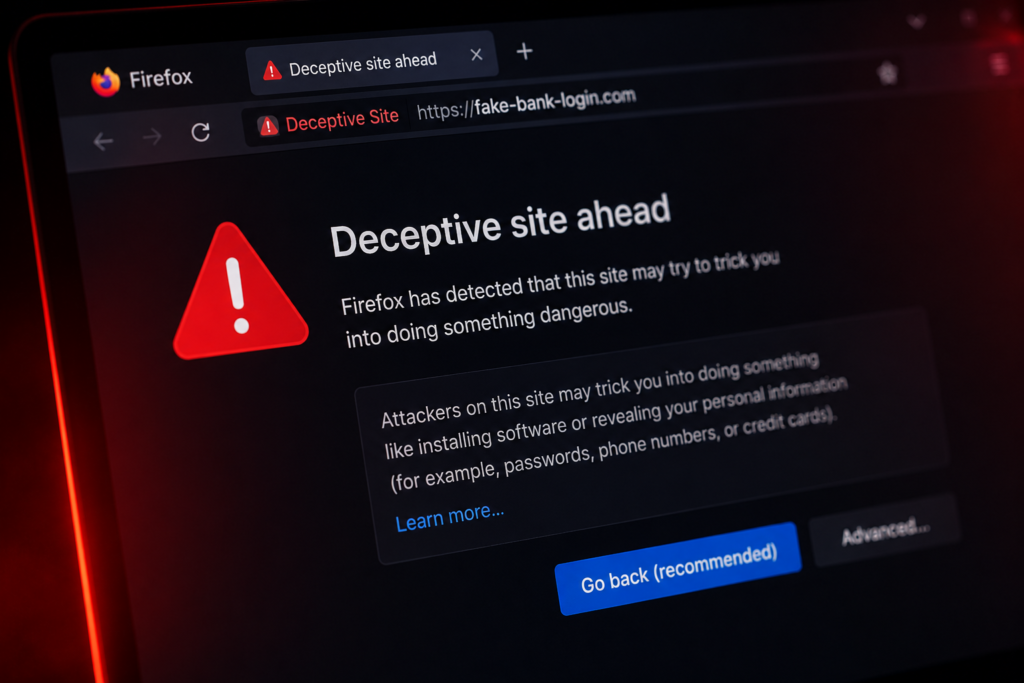
What to Do If You Entered Your Password or Card Details on a Fake Website
If you entered your card details on a suspicious website, contact your bank immediately using the phone number listed inside your official banking app or on the back of your card.
Ask your bank to block the card, review recent activity, and stop or dispute any suspicious charges. Never call a phone number provided by the suspicious website itself.
The FTC similarly recommends reaching out to your bank or card issuer right away if you paid a scammer or spotted an unauthorized charge to ask about reversing or refunding the payment.
Next, change your password on the legitimate service and across any other accounts reusing those same credentials. Log out of all active sessions and turn on two-factor authentication.
If you downloaded any files from the suspicious site, update your antivirus software and run a full system scan.
Keep records of the suspicious URL, messages, receipts, and screenshots. Report the site to the impersonated brand, search engine security teams, and local consumer protection authorities.
Finally, keep a close eye on your bank statements and account alerts over the coming weeks, as scammers do not always use stolen credentials right away. Moving fast gives you the best chance of minimizing damage.
How to Protect Yourself and Others from Fake Websites
The most important rule is simple: never make financial decisions directly from messages pressuring you to act right away.
Instead, open the official website yourself using a saved bookmark, a known URL, or the company’s official app. Before entering personal or payment details, double-check the domain name and confirm the payment recipient.
When shopping online, using a dedicated card with a low spending limit helps cap your potential losses. For user accounts, always set unique passwords and enable two-factor authentication whenever possible.
Keep your browser and antivirus software updated, never ignore built-in security warnings, and never install software just because an unknown support representative told you to.
Taking time to explain how fake websites work to friends and family is also worth the effort. While the story behind a phishing attempt constantly changes, the basic formula stays the same: a familiar brand name, manufactured urgency, and a request for personal, account, or banking data.
If you run into a fake website, do not just close the tab. Report the phishing page to Google Safe Browsing, notify the impersonated brand, and flag the ad or link on the platform where you found it.
Reporting suspicious websites helps platforms quickly flag and take down malicious pages, reinforcing your own security habits and protecting other users online.
© PhoenixProject, with full or partial copying of the material, a link to the source is required.
Comments: 0